RCON Console
RCON lets you send live commands to a running server.
To send one command to several instances at once, use Global RCON instead.
Open RCON
- Go to instance Actions.
- Click RCON Console.
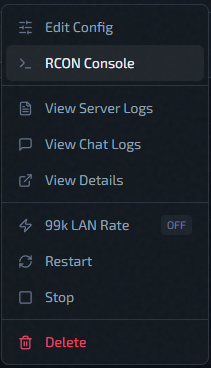
If the button is disabled, the instance is usually not in a ready state yet. Action reference: Instance Actions Menu
Basic Use
- Type command in the input box, ie
status. - Press Send.
- Read output in the console panel.
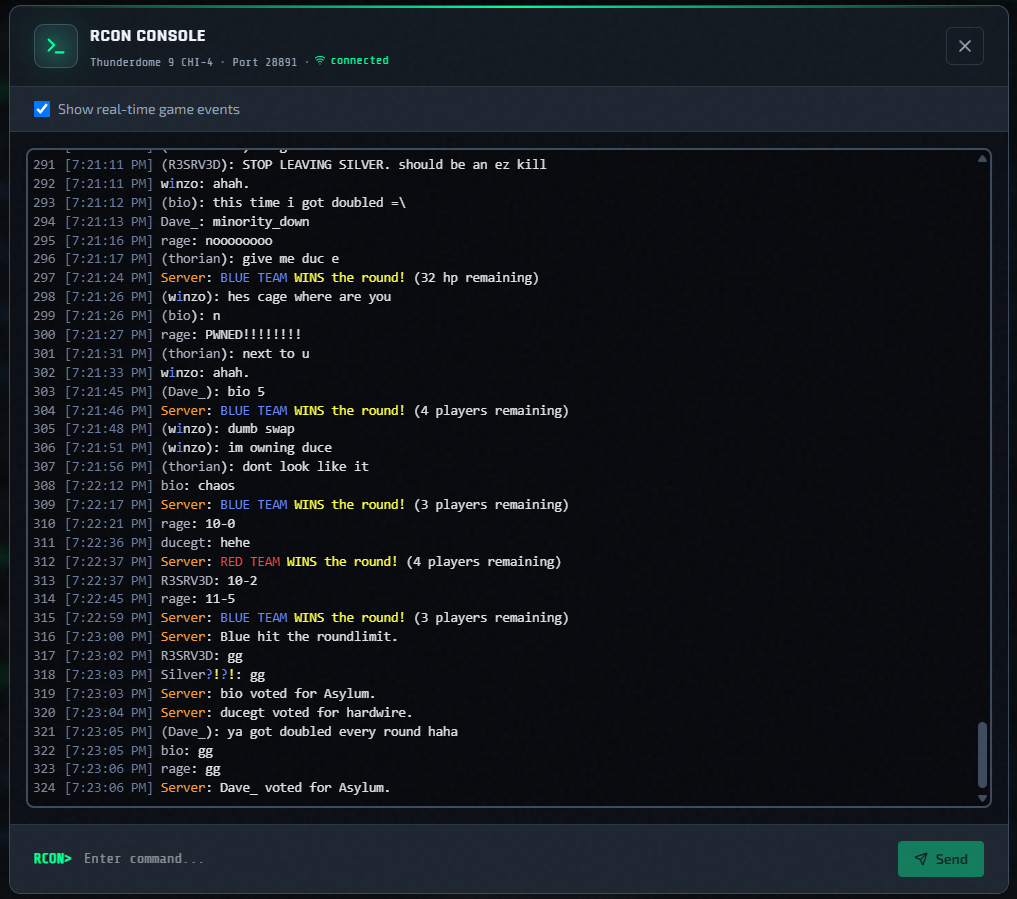
Real-Time Game Events
The console has a Show real-time game events checkbox enabled by default. When enabled, the output panel shows a live stats stream alongside command output.
Quality-of-Life
- Use Up/Down arrow keys to cycle through the last 50 commands.
- Output auto-trims to ~1000 lines; use
Ctrl+Fto search within it. - Quake color codes are rendered in the output panel.
Troubleshooting
| Symptom | Likely cause |
|---|---|
| RCON button disabled | Instance not in running / active / updated state |
| "RCON not configured" | Missing IP, port, or password on the instance or host |
| "Not authorized for this instance" | Room join did not complete before command was sent |
| Connection errors | Check Redis service and host reachability |
Related Pages
- Global RCON — send one command to many instances.
- Use Logs And Chat Logs
- Deployment Troubleshooting