MinQLX Logs
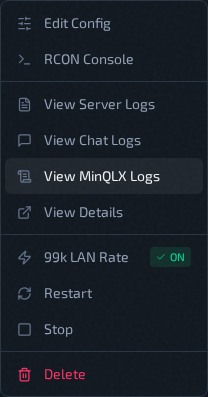
Use View MinQLX Logs from the instance action menu to read the plugin log and its rotated archives. This is the plugin log — player events, chat/console output, votes, and plugin activity — as opposed to service/runtime output (Server Logs) or the dedicated chat history (Chat Logs).
The filename depends on the host's Server Runtime. A minqlx host writes minqlx.log; a minqlxtended host writes minqlxtended.log. The menu item is called View MinQLX Logs on both — QLSM selects the right file for you when the modal opens.
File Selection
The modal loads available files and keeps valid names only. Read <log> below as
minqlx.log on a minqlx host and minqlxtended.log on a minqlxtended host:
<log><log>.<number>(for exampleminqlx.log.1, orminqlxtended.log.1)
Sorting behavior:
<log>first- then numeric archives in ascending order (
.1,.2, ...)
The UI keeps at most 11 entries (current file + 10 archives).
Line Filtering
Filter modes:
- Last N Lines — presets
100,250,500,1000,2500 - All — the entire file
Press Apply after changing the file or filter.
Syntax Highlighting
The viewer colors MinQLX log structure to make lines easy to scan:
- Timestamps and log levels (
DEBUG,INFO,WARNING,ERROR) are dimmed so the meaningful content stands out. - Module (
minqlx.dispatch,minqlx.handle_console_print, ...) and event/command names (client_command,team_switch, ...) are highlighted. - Quoted arguments (
'score','spectator'), SteamIDs, IP addresses, and secondary plugin tags ([ranked], ...) each get a distinct color. - Quake color codes (
^1–^7) are rendered in their real in-game colors on the text that follows, with the^Nmarker itself dimmed to near-invisible.
Viewer Behavior
- Read-only CodeMirror display
- Auto-scroll to bottom after load
Ctrl+Fto search in-placeRefreshandApplyboth re-fetch current file + line count